Boutique and Growing Agencies

Recruitment CRM for Boutique and Growing Agencies

You started with a handful of recruiters and whatever tools got you through the first year. Somewhere around ten seats, those tools start costing more time than they save. PCRM gives a permanent placement agency one database for candidates, clients and business development, set up around the way your desk already works.
Security pcrm

SOC 2 Examined

Headphone pcrm

US-Based Support

Calendar pcrm

Since 1998

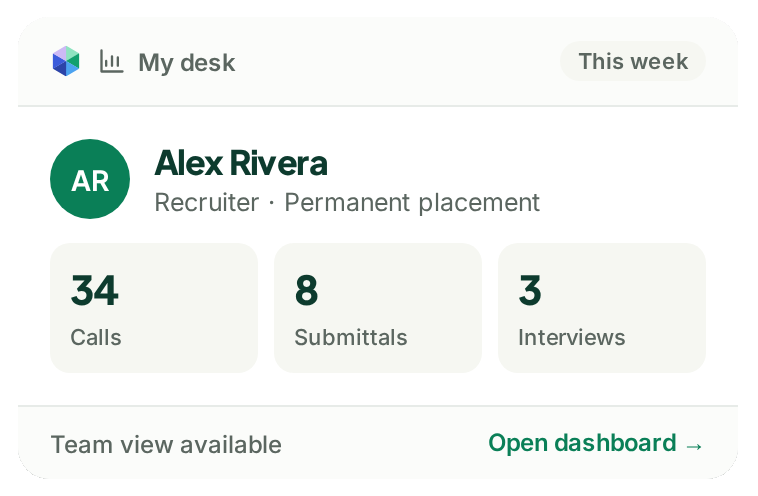
Example PCRM desk dashboard with a recruiter's weekly activity

Too Many Disconnected Tools, One Database Instead

Does this sound familiar? An ATS for applicants, a spreadsheet for business development, an inbox full of resumes nobody has had time to enter, and a sourcing tool that exports to a CSV file.

Each one works fine on its own. The trouble is the gaps between them, where a candidate gets entered twice, a client conversation lives in one recruiter’s notes, and nobody is quite sure which list is current.

In PCRM those pieces share one database.

User

Candidates and Clients on One Record

Contacts, candidates, job orders and Deals all connect to the company, so relationship history never splits in two.
Folder

Resumes In, Without Retyping

Resume Inhaler parses resumes from Outlook or your desktop. PCR Capture pulls a profile from your browser in one click.
Search

Found Again When You Need Them

Search every field, resume and note you hold, with saved searches for the ones you run every week.
Power

Your Sourcing Tools, Connected

ZoomInfo and hireEZ export into PCRM in one click, with no CSV file in between.

What Changes at Ten Seats and Above

With three recruiters, everyone knows who is talking to which client. With twelve, they probably do not, and that is often when an agency starts looking at its software properly.

A few things start to matter more from that point. Who can see and change what, which is why PCRM has role based security and permissions. Whether business development is visible to the whole firm, which is what Deals are for. And the price per seat, because at ten seats the gap between two systems becomes a real line in the budget.

PCRM is priced per user with no seat caps, so adding your eleventh recruiter simply adds a seat.

Support team paVxe39O 1

Support That Answers the Phone

A small agency rarely has an IT person. When something breaks at 9am on a Monday, the person fixing it is usually the owner, perhaps between two client calls.

Our eight support staff are US based and employed directly by us. Calls are answered in under 30 seconds on average, and your first training session is scheduled within one business day of your onboarding call.

Support

When You Call,

We Pick Up.

Our support team is US based and employed by PCRM. Call and a real person picks up. Prefer to write? Open a ticket and it goes to the same team.
Icons8 customer support

Under 30 Seconds

Average time to answer the phone

Icons8 training

One Business Day

To get your first training session scheduled after your onboarding call
Capterra logo

4.6 Out of 5

For customer service across 380 reviews

Is PCRM the Right Size for Your Firm?

PCRM is shaped around permanent placement agencies, typically up to 25 recruiters, and larger firms use it too. If you need payroll or HRIS in the same system as your recruiting, though, PCRM does not do that, and it is better you hear it here than after a demo.

Questions From Agency Owners

Most firms use a subset. Screen layouts are set up so your team sees the fields and functions they actually use, and the rest stays out of the way.

You pay per user, with no seat caps. Adding a recruiter adds a seat.

Your first training session is scheduled within one business day of your onboarding call. How long the full setup takes depends mostly on how much data is coming across from your current system.
Yes. Data migration is something we do rather than something we hand you a spreadsheet template for. What it costs depends on how complex the source system is, and you get the answer before you commit. Complete migration, including validation, mapping, test runs, customer review, and final production load, typically takes 2 to 8 weeks. Database size affects timing.
You do. Your records sit in a private, single tenant database, and we never use identifiable customer data to train AI.

Show Us How Your Agency Works

Twenty minutes, your workflow, and a straight answer on price.