Switching
Switching to PCRM
Ten years of candidate records is the reason most firms stay on a system they have stopped liking. Here is exactly what happens to yours.

SOC 2 Examined

US-Based Support

Since 1998
The Part
Most Vendors Skip
Migrating an ATS is not a button. Anybody who tells you it is has not done one.
Records come across. Notes, attachments and history come across. What takes the work is the shape of your data, because no two firms use the same fields for the same thing, and a field that means “source” in your old system may mean something else in ours.
That work is ours, not yours. But it is work, and it is why we quote migration on the state of your data rather than from a price list.
What Comes Across
| Your Data | What Happens |
|---|---|
| Candidate records | Migrated in full |
| Resumes and attachments | Migrated and re-indexed so they stay searchable |
| Client and company records | Migrated in full |
| Job orders and placement history | Migrated, including closed roles |
| Activity notes and history | Migrated against the record they belong to |
| Custom fields | Mapped to PCRM fields, or new fields created to hold them |
| Email history | Depends on where it currently lives. We will tell you before you commit |
How It Runs
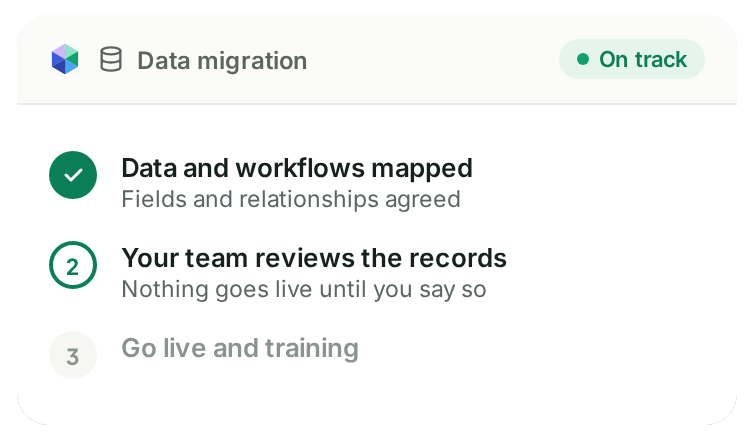
01
We Look at Your Data First.
Before anything is quoted, we look at what you actually have. This is where the straight answer on time and cost comes from. Complete migration typically takes 2 to 8 weeks, and database size affects timing.
02
We Map Your Fields to Ours.
The part that decides whether migration feels smooth or feels like starting again. We do it with you, not to you.
03
A Test Load, Then You Check It.
You see your own data in PCRM before anything is switched over. Nothing goes live until you say the records look right.
04
Go Live and Training.
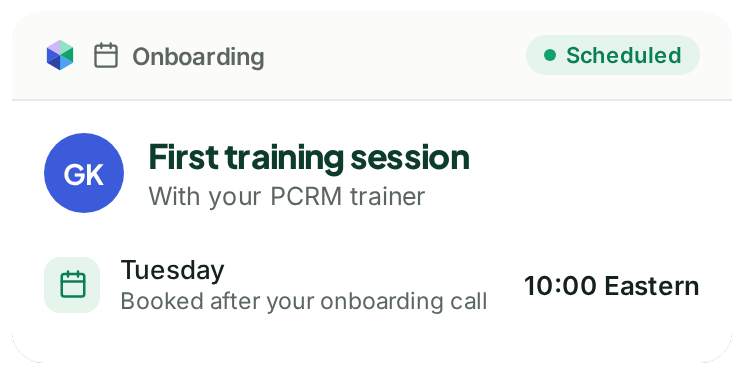
Your first training session is scheduled within one business day of your onboarding call. The support number works from day one, not after an onboarding period.
If You Are on PCRecruiter 9
You are moving within the same company, so nobody is selling you a migration. Talk to us about what the move looks like for your specific configuration, because the answer genuinely differs depending on how your records are laid out.
Support
When You Call,
We Pick Up.
Our support team is US based and employed by PCRM. Call and a real person picks up. Prefer to write? Open a ticket and it goes to the same team.


Under 30 Seconds
Average time to answer the phone
One Business Day
To get your first training session scheduled after your onboarding call
4.6 Out of 5
For customer service across 380 reviews
Switching Questions
How long does it take?
Complete migration, including validation, mapping, test runs, customer review, and final production load, typically takes 2 to 8 weeks. Database size affects timing. We will tell you where in that range you sit before you commit.
Will I lose my search history or my notes?
No. Notes and activity history migrate against the records they belong to.
What does it cost?
It is priced on the complexity of your existing data. You get the number before you sign anything.
Who does the work?
We do. You are involved in the field mapping, because you are the only person who knows what your fields mean, and in checking the test load.
What happens if something is wrong after go live?
You call the support number and a US based person answers in under 30 seconds on average.
Can I run both systems for a while?
Talk to us. It depends on the system you are leaving and the terms of your contract with them.
Get a Straight Answer on Your Data
Tell us what system you are on and roughly how many records you hold, and we will tell you what moving looks like.