
Support Center

How Can We Help?

For PCRM customers. Call the team, open a ticket, or find the answer yourself in the Learning Center.
Security pcrm

Monday to Friday, 7am to 6pm Eastern

Headphone pcrm

Under 30 seconds to answer, on average
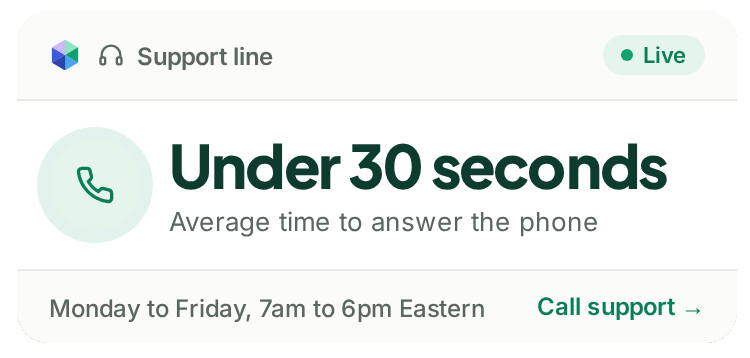
PCRM support line, average time to answer the phone under 30 seconds
Phone

Call Support

A person in the US picks up in under 30 seconds on average, Monday to Friday, 7am to 6pm Eastern.

Call +1 440.946.5214 →
Option 2 for support

Ticket

Submit A Ticket

Open a ticket in the support portal, or check on one you already have. It goes to the same team that answers the phone.

Books stack of three

Learning Center

Step by step guides for PCRM, PCRecruiter 9 and the add-on tools, with answers to common issues.

Open the Learning Center →
Available at any time

Higher education

Training Courses

Self-service courses for new starters and refreshers, plus the archive of past training webinars.

Phone

Call Support

Option 2. A person in the US picks up.
Call now →

Ticket

Submit A Ticket

Open or check a ticket in the support portal.
Submit a ticket →

Books stack of three

Learning Center

Step by step guides, any time.
Open the Learning Center →

Higher education

Training Courses

Self-service courses and past webinars.
Browse courses →

Learning Center

Find It in the Documentation

Jump straight to the PCRM guides people ask about most.

star

What's New

Changelog and updates

power

Getting Started

First steps in PCRM

search

Searching

Find the right records

mail

Communication

Email and messaging

progress

Sequencing

Automated outreach

Money

Deals Workflow

Track client deals

chart

Applicant Tracking

Move candidates on

chart

Analytics & Reporting

Reports and dashboards

DOWNLOADS

Apps, Plugins and Extensions

PCRM runs in your browser. These add specialist features, from capturing candidates in Chrome to importing resumes from Outlook.

world

PCR Capture

Chrome and Edge

computer

PCR for Outlook

Windows desktop

mobile

PCRecruiter Mobile

iOS and Android

mail

PCRecruiter for Gmail

Google Workspace

document

Resume Inhaler

Windows desktop

chart

WordPress Plugin

Job board for your site

Quick Fixes

Common Issues, Answered

The questions the team hears most often. Each one links to the full fix in the Learning Center.
I Can't Log In
  1. Double-check that you are using the correct URL, as every PCRecruiter account has a unique login link.
  2. Double-check that you have selected the correct database from the dropdown on your login screen, as your account may have more than one database.
  3. Double-check your user name. Usernames are a maximum of 10 characters and are not case-sensitive.
  4. Double-check your password. Passwords are case-sensitive, so be sure your caps-lock is not enabled.
  5. If you are still unable to log in, please contact an Admin User — any other PCRecruiter user at your company with access to System > Users > Manage Users. This user can change passwords or security preferences for any user in your database.
  6. As a last resort, contact PCRecruiter Support. Our team cannot see passwords, as they are encrypted, and can only reset them. Resetting a password will require a signed consent form from the person whose name is on the PCRecruiter Agreement. 

Each user must have their outgoing mail settings defined within PCRecruiter so that the system can connect to the email provider’s server for sending messages to individuals or groups. The most common reason for being unable to send mail is that your email account password or authorization has changed or expired. You may see a notification popup stating “Invalid Email Credentials” if your alias contains outdated connection information or has expired. See the instructions for configuring your User Outgoing Email to reconnect your email account.

Opening attached files in PCRecruiter with your local software (Word, Acrobat, etc.) requires the PCRecruiter Launcher to be installed. Your Launcher may need to be re-installed. See the lower left corner of the PCRecruiter Login screen for links to the launcher. See ‘Getting Started’ for info. 

RingCentral should create Activity records automatically. If it has stopped doing so, re-authenticating the connection will typically correct the problem .

The fields and arrangements of the Name, Company, and Position records can be configured per-user in PCR. If your screen looks different from another user’s, the admin user can copy their layout into yours, or you can customize your own to suit your needs. Learn more about changing screen layouts here. 

PCRecruiter keeps track of your active session with a combination of browser cookies and IP Address tracking. If your IP address should change or the cookie be unreadable, this can trigger a ‘time out’ message. Common reasons why your IP might change would be getting onto or off of a VPN (virtual private network) or using a connection with non-static IP addresses, such as a cell network or a public network. In order to remain logged into PCRecruiter, you must keep your IP throughout the session. 

In some cases, Google Chrome’s automatic unloading of inactive tabs can cause a timeout as well. Chrome will ‘discard’ tabs that haven’t been used for 10 minutes if the browser is using a significant amount of RAM so as to avoid a crash. If you are on a static IP but are getting timeout messages, you may want to try reducing the number of tabs you keep open, or try disabling Chrome’s Memory Saver option completely in chrome://settings/performance 

Talk to the Team

Still Stuck? We Pick Up.

Eight support staff, all based in the US and employed by PCRM. They know the accounts, so you are not starting from scratch each time.

call

+1 440.946.5214, Option 2

Monday to Friday, 7am to 6pm Eastern
ticket

Submit A Ticket

Out of hours tickets are picked up at the start of the next business day.

Under 30 Seconds

Average time to answer the phone

One Business Day

To get your first training session scheduled after your onboarding call

4.6 Out of 5

Customer service rating across 380 Capterra reviews

7am to 6pm ET

Live support and training, Monday to Friday

Not a PCRM Customer Yet?

See the support you would get, along with the product, in a 20 minute call.